Built in New Zealand for retail and hospitality
The counter, the stockroom and the books. One system.
Suntify runs your POS, stock, staff, cash and accounts across every store, so every sale lands in the same report.
- English and 中文 interface
- Runs in the browser
- Set up and trained by our team
Business types
Set up for how you sell.
We set up each store in retail or hospitality mode, so staff only see the tools they need.
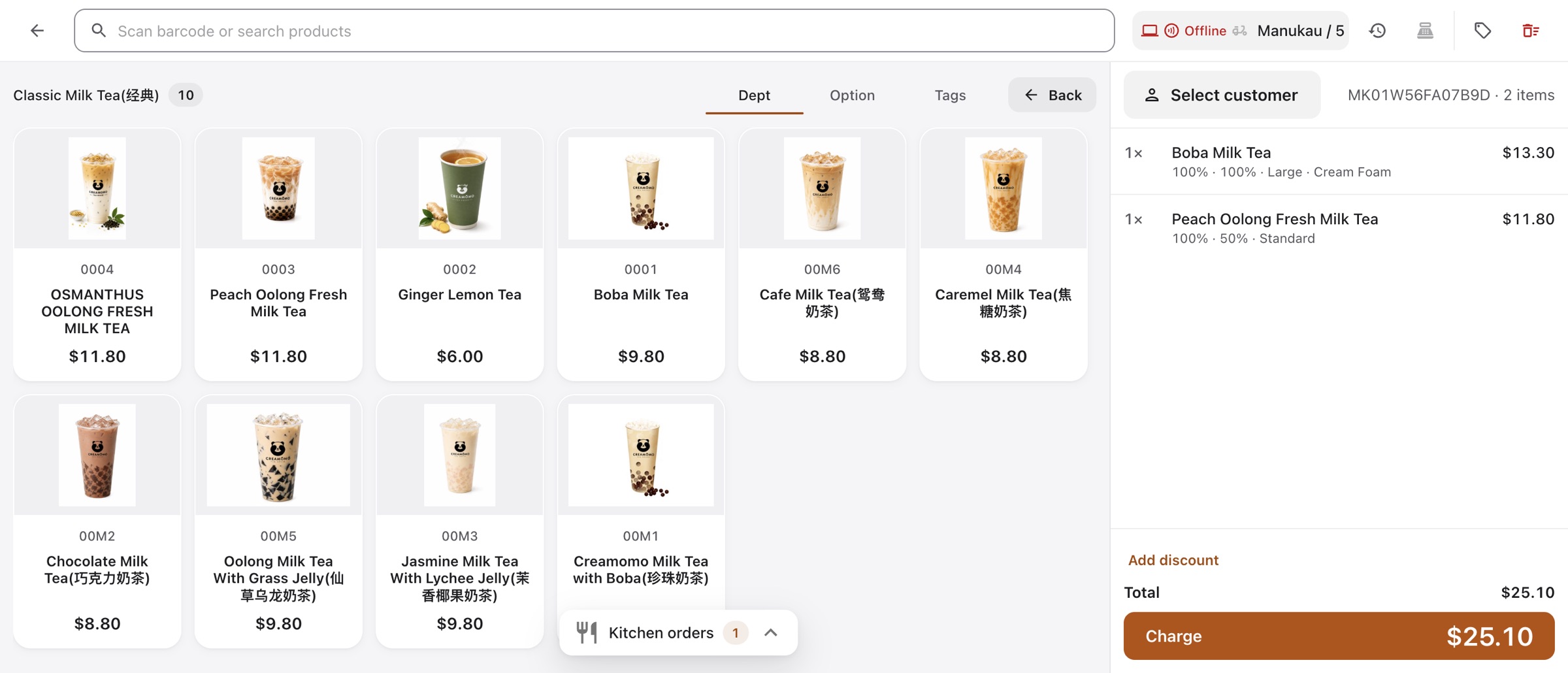
Bubble tea and cafés
Ice, sugar, size and toppings with their own prices, and timers for every batch you prep.
See the features ›Restaurants
Counter and kiosk orders land in one kitchen queue, with kitchen labels.
See the features ›Retail stores
Count stock, move it between stores and keep suppliers and departments in order.
See the features ›Repair and service shops
Each repair gets a job card that follows the order until the customer collects it.
See the features ›At the counter
Fast at the till. Clear in the kitchen.
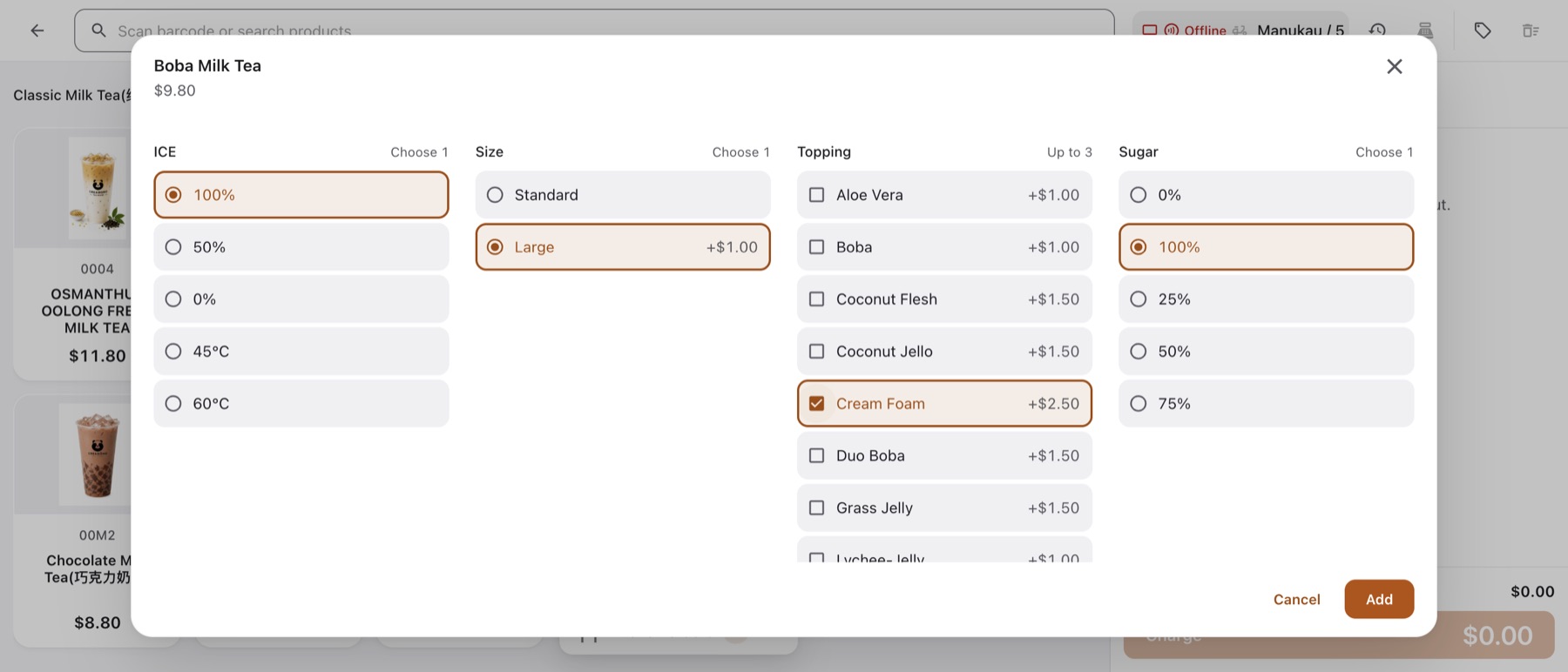
Options and extras, priced right
Staff pick ice, sugar, size and toppings in one tap. Each extra carries its own price, on the POS and the kiosk.
- Required and optional choices with limits
- Extras add to the price automatically
- Integrated EFTPOS sends the total to the terminal
Prep timers on the dashboard
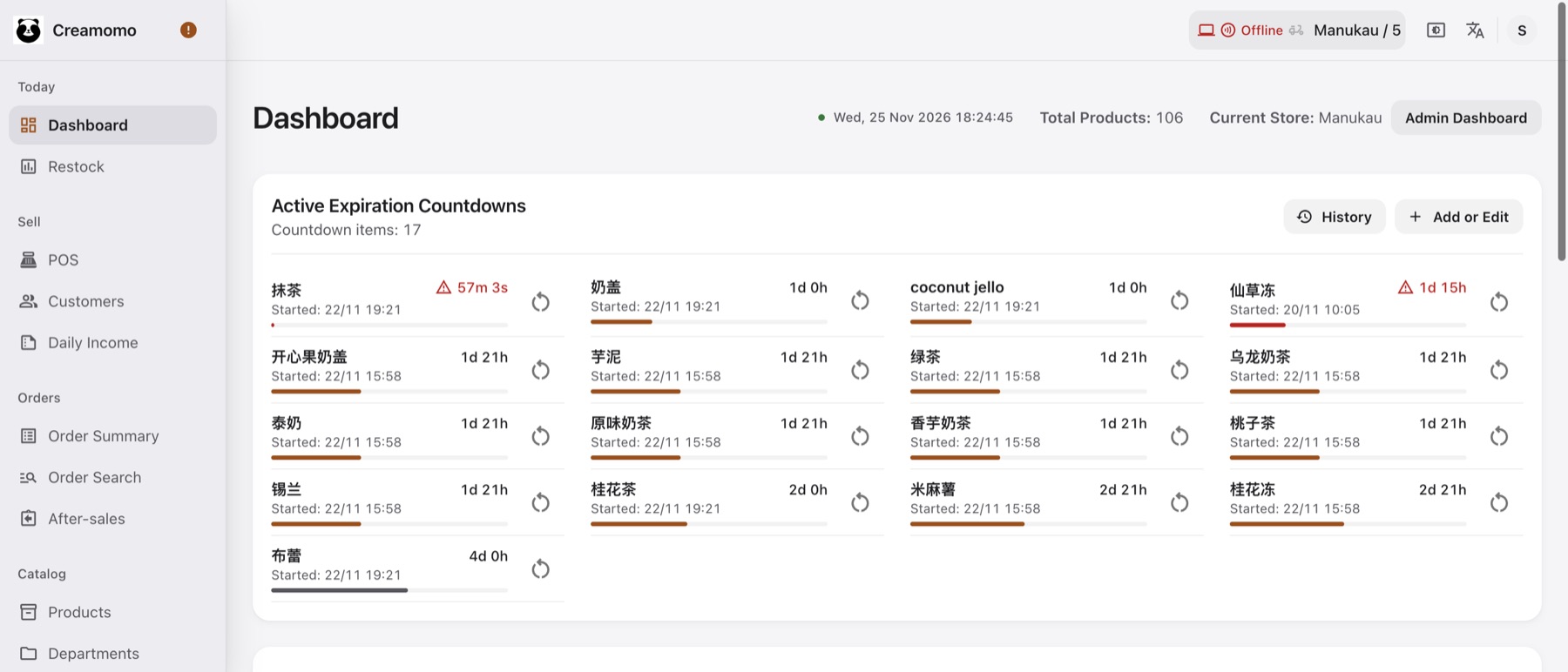
Start a timer when you prep a batch. The dashboard shows what expires next, in red when it is close.
- One tap to restart a timer
- History of every batch
- Visible to every staff member in the store
Stock and jobs
Know what you have, and where it is.
One catalogue for every channel
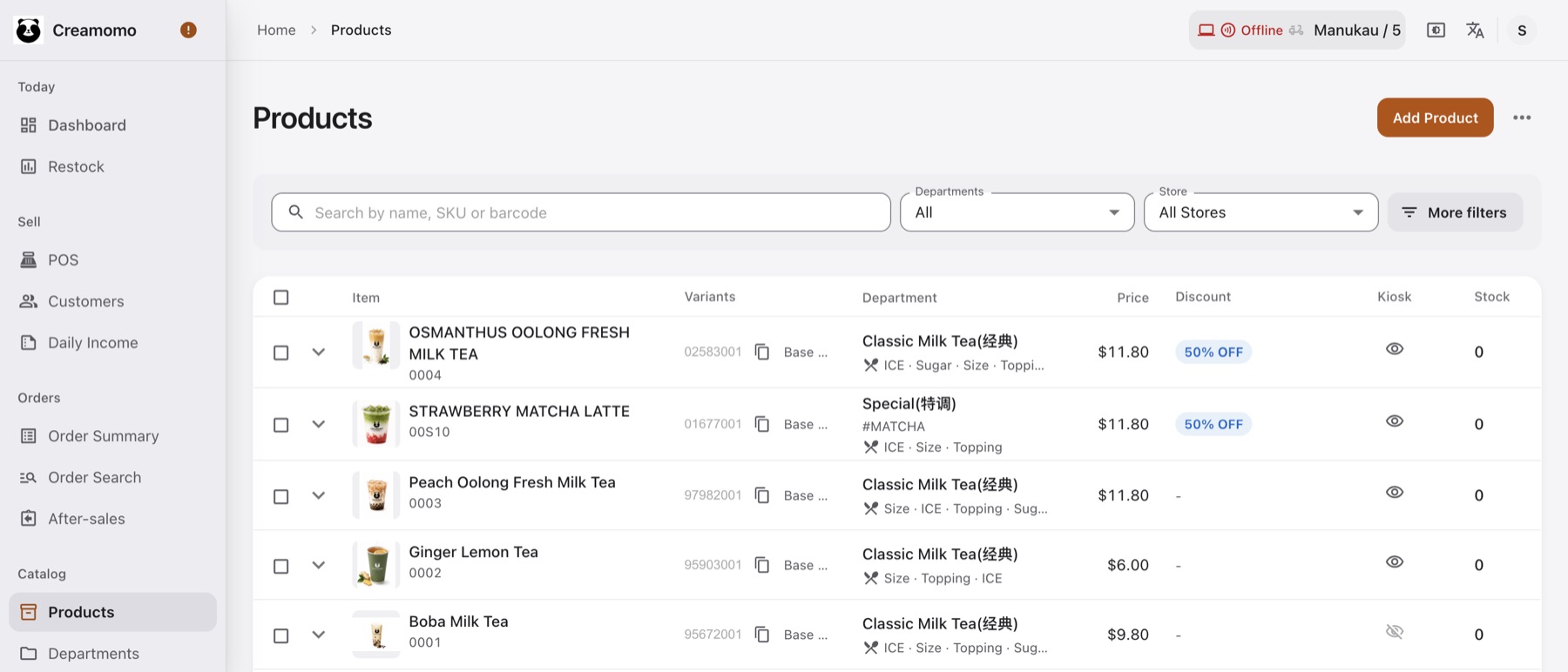
Products, variants, departments, tags and options live in one list. The POS, the kiosk and reports all read from it.
- Discounts and kiosk visibility per product
- Barcodes and labels from the same list
- Bulk import from a spreadsheet
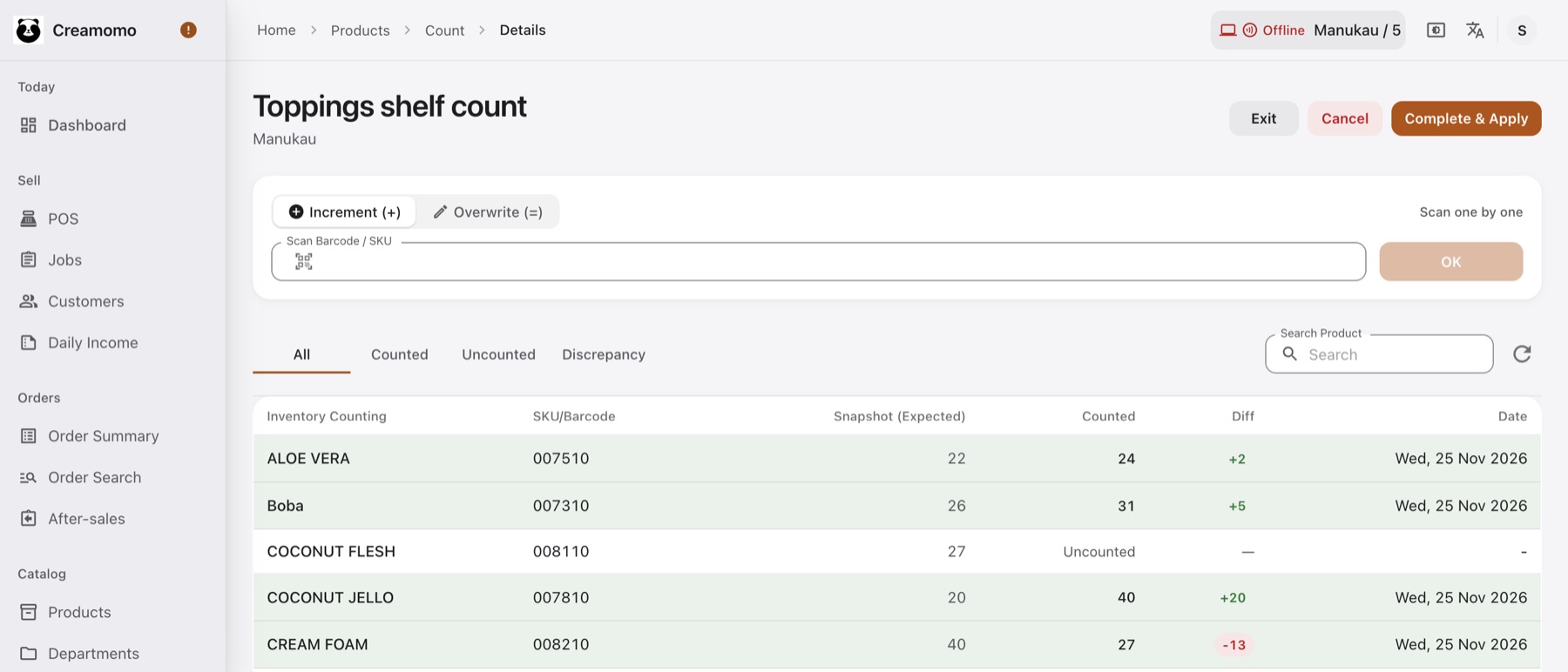
Stocktakes without the spreadsheet
Scan or type counts by department. Suntify shows expected, counted and the difference before you apply it.
- Count by department or the whole store
- Filter by counted, uncounted or discrepancy
- Apply counts only when you are ready
Transfers between stores
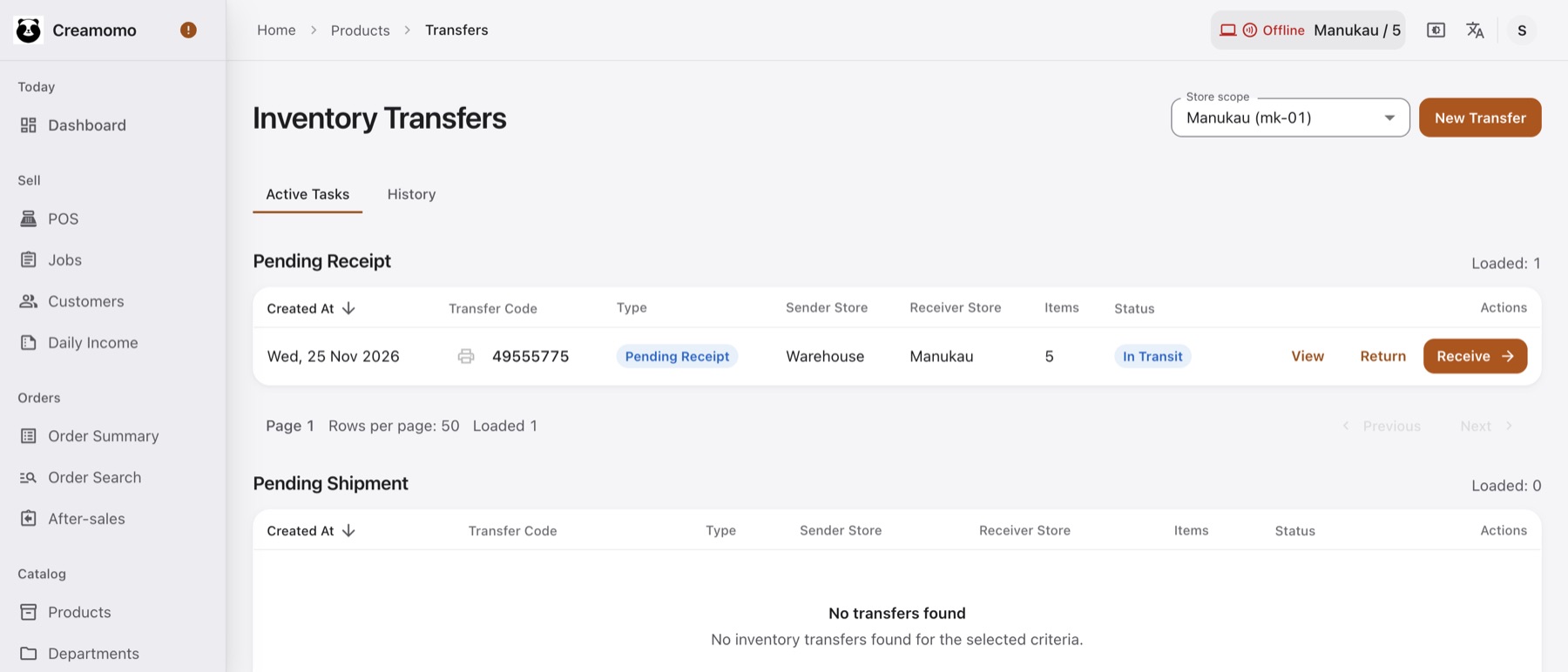
Send stock from the warehouse to a store. The receiving store confirms what arrived.
- Draft, ship, receive or return
- Pending receipts show on the store dashboard
- Stock levels update at both ends
Service jobs
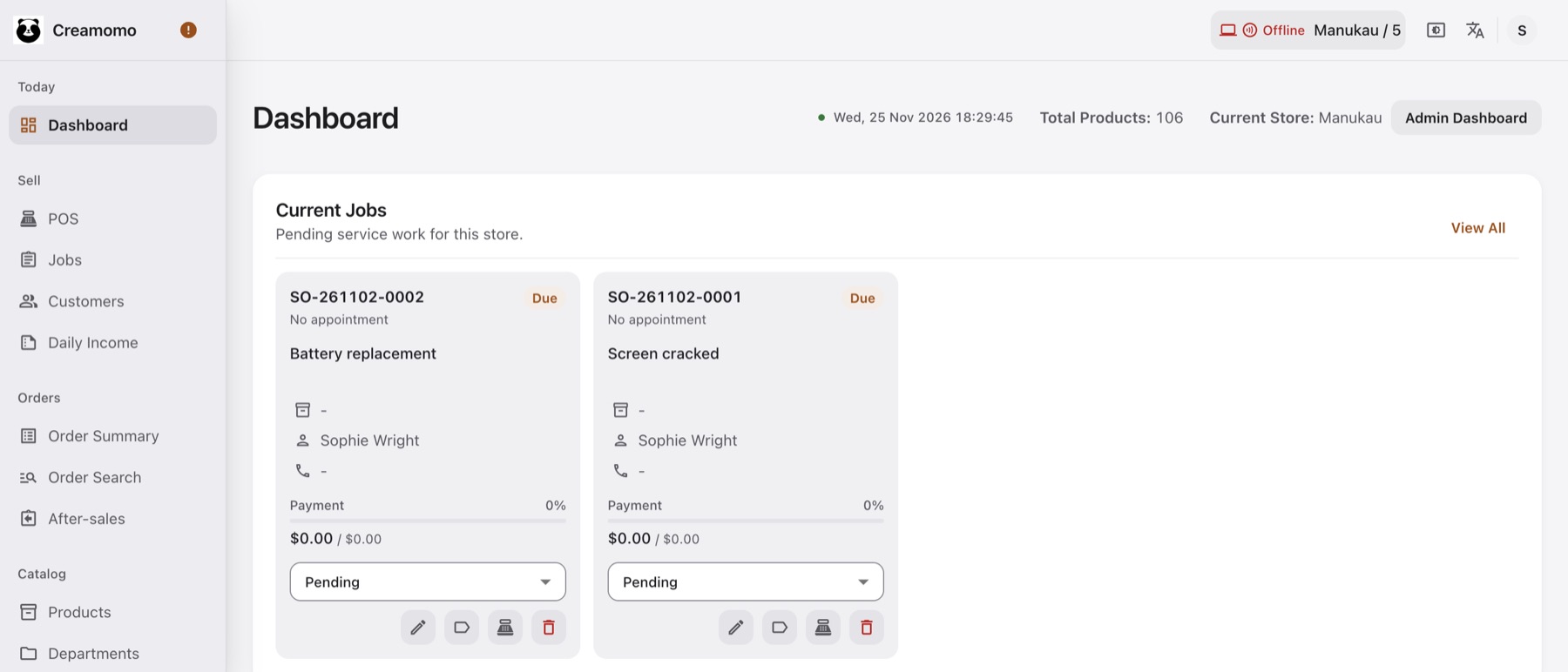
Repairs and custom work get a job card with the customer, the issue and the payment progress.
- Current jobs on the store dashboard
- Track status from pending to collected
- Take part payments along the way
Cash and reports
Every dollar, from the till to the bank.
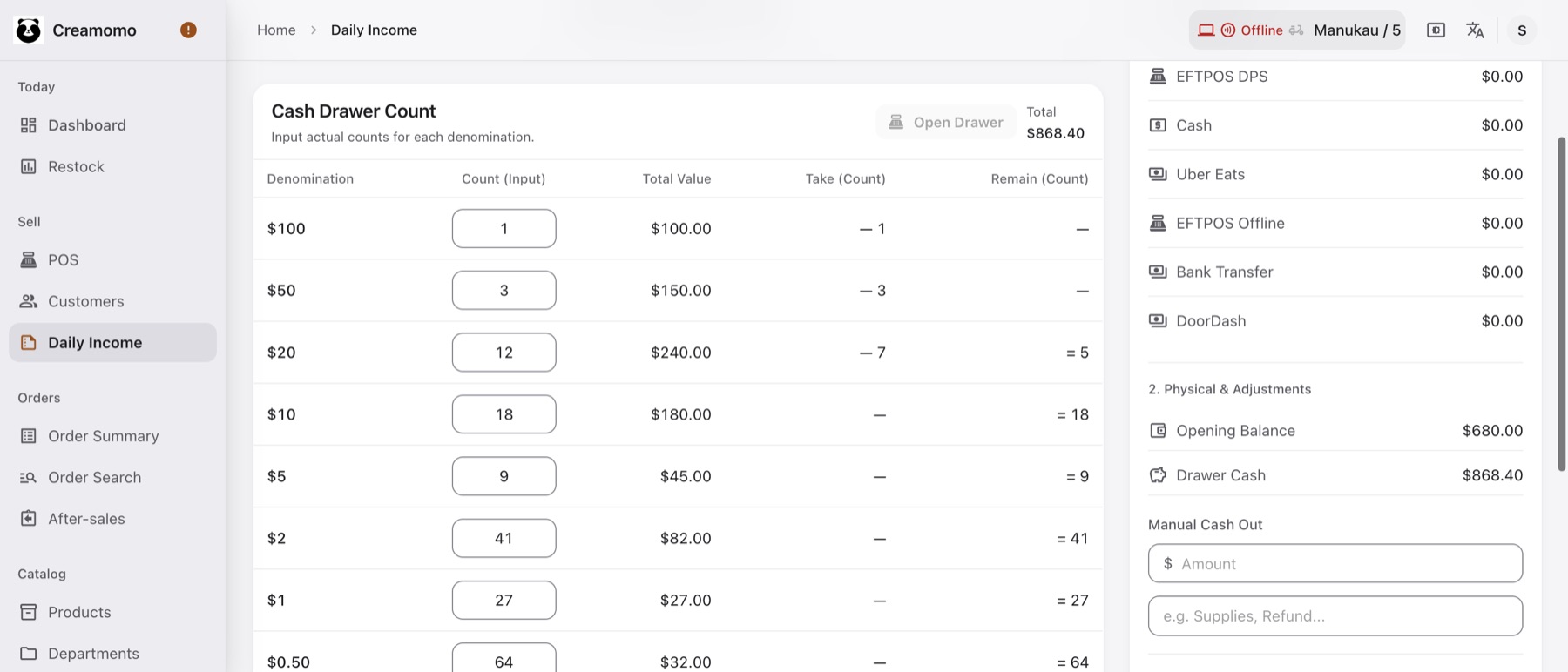
Daily cash count
Count the drawer by denomination at close. Suntify shows the total next to the expected amount for each payment method.
- Opening balance and cash out
- Take and remain counts for the next day
- Collection batches through to bank deposit
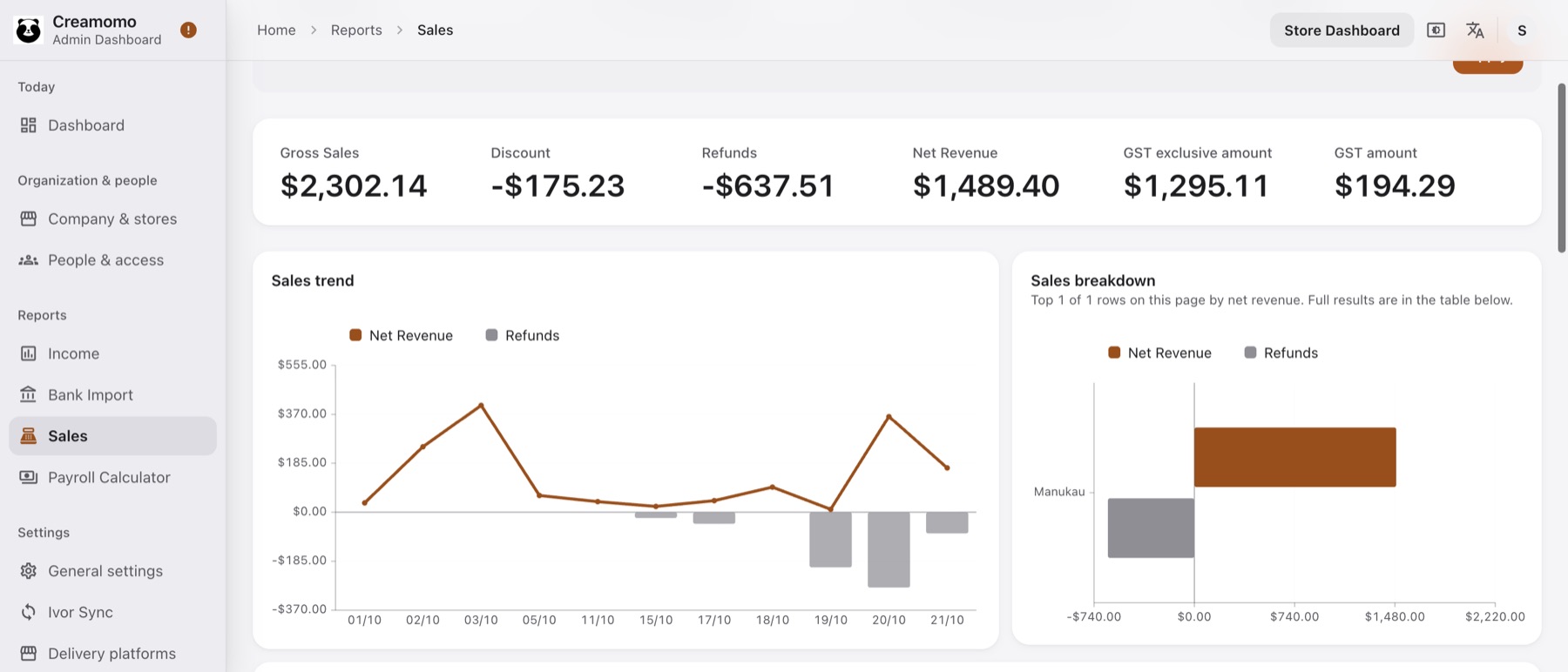
Sales reports with GST
See gross sales, discounts, refunds, net revenue and GST for any day, week or month, by store.
- Trend and breakdown charts
- Filter by department, tag or payment method
- Refunds and discounts listed by product
Staff and pay
Rosters and pay in the same place as sales.
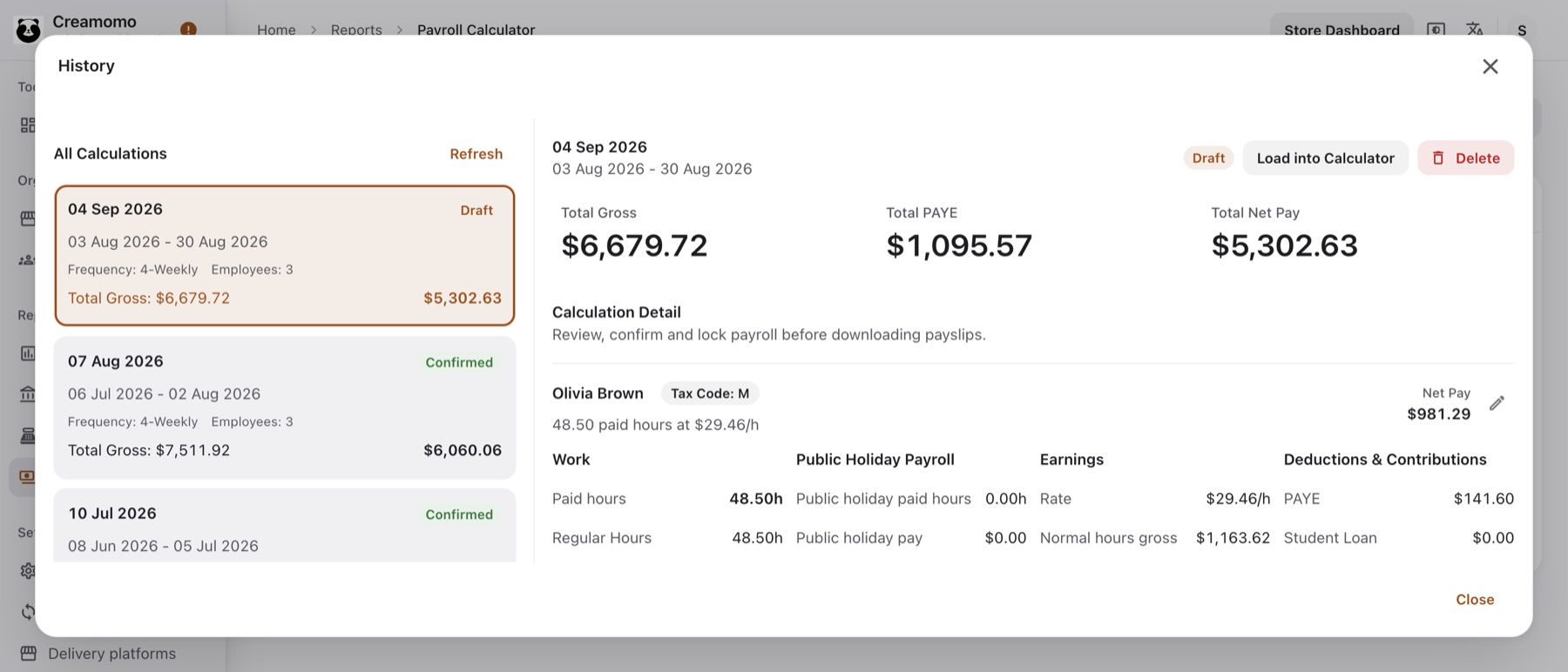
PAYE payroll
Pay runs come from approved hours. Suntify works out PAYE, student loan and KiwiSaver, then shows the result for each employee.
- Weekly, fortnightly or four-weekly pay periods
- Draft, confirm and lock each pay run
- Payslips once the run is locked
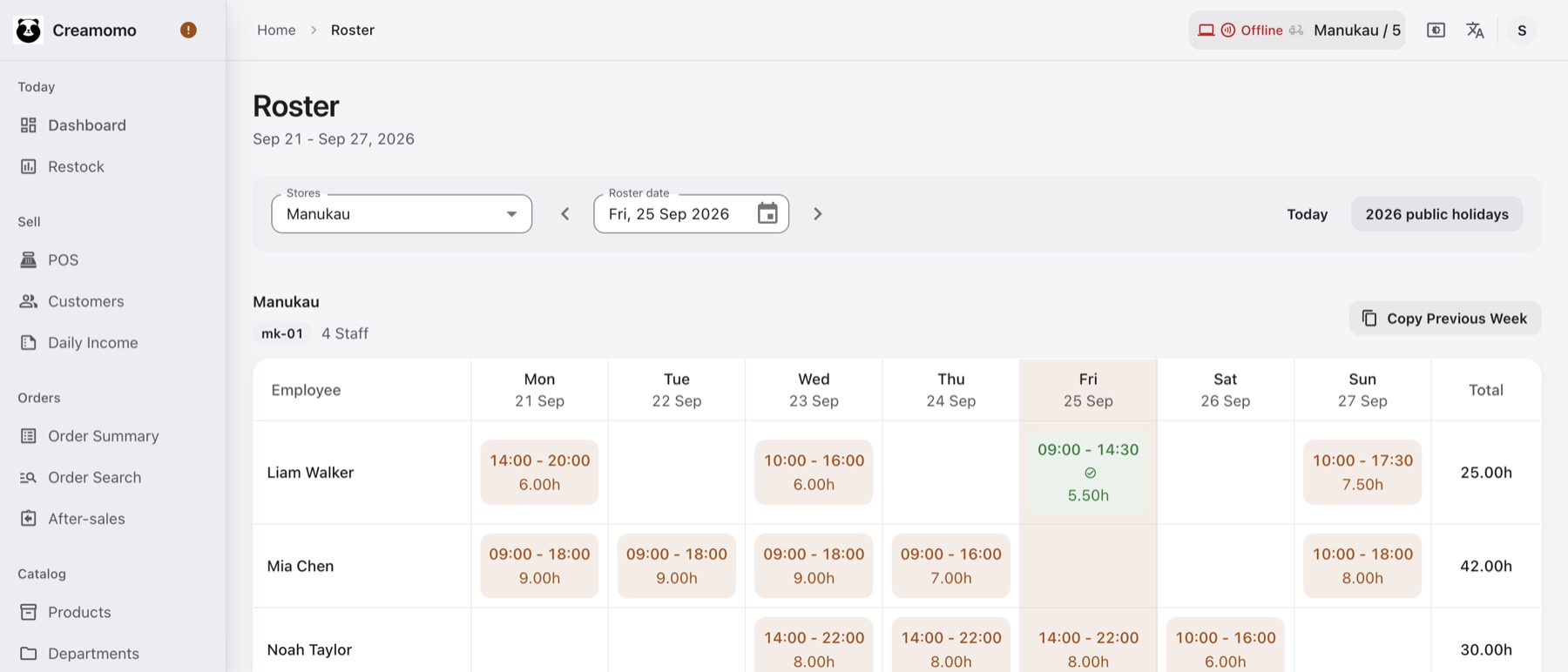
Weekly rosters
Plan shifts by store and see each person’s hours for the week. Public holidays are already in the calendar.
- Copy last week in one click
- Confirmed shifts marked on the roster
- Hours feed straight into payroll
Also included
Everything else a store needs.
Self-order kiosk
Customers order and pay on their own, then scan a QR code for the receipt.
Kiosk order alerts
The POS plays a sound and shows the order when a kiosk order comes in.
Customers and loyalty
Customer records, points and discount rules that work the same everywhere.
Orders and after-sales
Find any order in seconds. Returns go back to the original payment.
Roles and audit
Decide who can discount, refund or see reports. Approvals, changes and logins are logged.
English and 中文
Each person picks their own language for the whole system.
Hardware
Works with what is on your counter.
A small Suntify Agent on a Windows PC or Mac connects your receipt printers, label printers, cash drawer and EFTPOS terminal. It updates itself.
- Windows
- macOS
- Receipt printers
- Label printers
- Cash drawer
- Verifone EFTPOS
- Telegram and WeChat daily reports
Switching
Move over without retyping.
Bring your products from your current system. We do the setup with you.
- 01
Import
We import your products and prices from your current system or a spreadsheet.
- 02
Set up
We set up your first store, devices, printers and staff roles.
- 03
Train
We train your team on the counter and in the back office.
See Suntify in your store.
Tell us about your business. We will contact you to arrange a demo.